Productivity tools help students and professionals manage tasks, organize work, and improve efficiency. With the increasing number of digital responsibilities, using the right productivity tools can save time, reduce stress, and improve focus. Many powerful productivity tools are available for free and provide features that help individuals stay organized and complete tasks more efficiently.
Notion
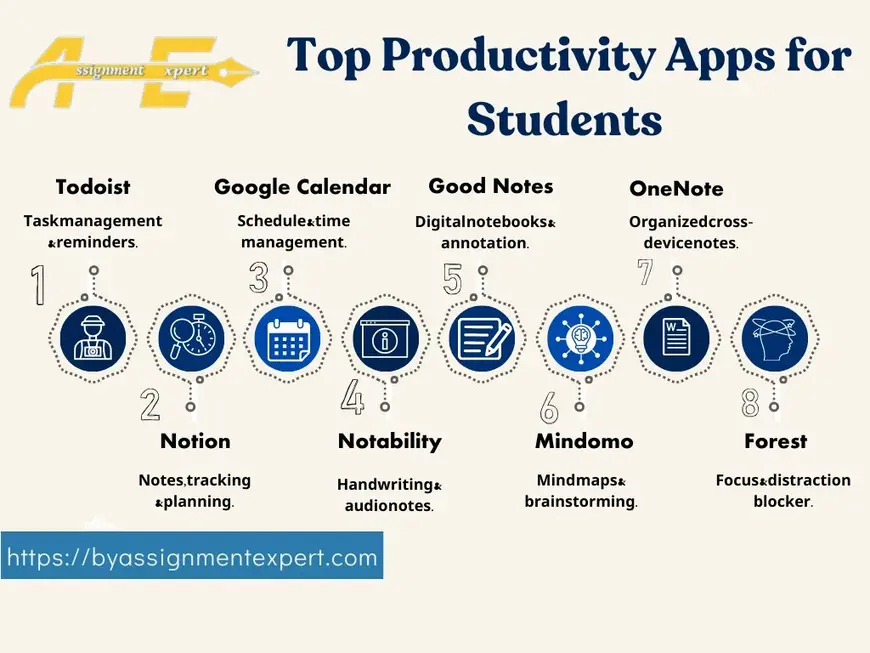
Notion is a powerful all-in-one productivity tool used for note-taking, task management, and project organization. It allows users to create custom workspaces, track projects, store notes, and collaborate with teams.
Students often use Notion to organize study notes, while professionals use it for managing projects, meeting notes, and team collaboration.
Trello
Trello is a project management tool that uses visual boards and cards to organize tasks. Each board represents a project, and cards represent individual tasks that can be moved through different stages of progress.
The simple interface makes Trello useful for both individuals and teams who want to track tasks and deadlines.
Google Keep
Google Keep is a lightweight note-taking tool that allows users to quickly capture ideas, create reminders, and organize notes. Notes can be categorized with labels and color codes for easy access.
Because it syncs across devices, users can access their notes anytime from smartphones, tablets, or computers.
Evernote
Evernote is another popular productivity tool designed for capturing notes, documents, and ideas. It allows users to store text notes, images, web pages, and audio recordings in organized notebooks.
Evernote is especially useful for research, studying, and managing large amounts of information.
Todoist
Todoist is a task management app that helps users create to-do lists, set deadlines, and prioritize tasks. It provides reminders and productivity tracking features that help users stay on schedule.
The simple design makes it easy to manage both personal and professional responsibilities.
Google Drive
Google Drive is a cloud storage platform that allows users to store files, documents, and spreadsheets online. It also includes productivity tools such as Google Docs, Sheets, and Slides for collaboration.
Students and professionals can work together on documents in real time without needing to send files back and forth.
Canva
Canva is a graphic design platform that allows users to create presentations, social media graphics, and visual content easily. The platform offers thousands of templates and design elements that simplify the design process.
Even users without design experience can create professional visuals using Canva.
Microsoft OneNote
Microsoft OneNote is a digital notebook designed for organizing notes, research, and ideas. It allows users to create multiple notebooks and sections to organize information effectively.
OneNote integrates well with other Microsoft Office tools and is commonly used by students and professionals for note management.
FAQs
What are productivity tools?
Productivity tools are software applications designed to help individuals manage tasks, organize information, and improve efficiency.
Are free productivity tools effective?
Yes. Many free productivity tools offer powerful features that are sufficient for students, freelancers, and professionals.
Which productivity tool is best for task management?
Tools like Todoist, Trello, and Notion are widely used for managing tasks and tracking progress.
Using productivity tools can help individuals organize their work, reduce distractions, and accomplish more in less time. Selecting the right tools based on personal needs can significantly improve efficiency and workflow.
About the Author